
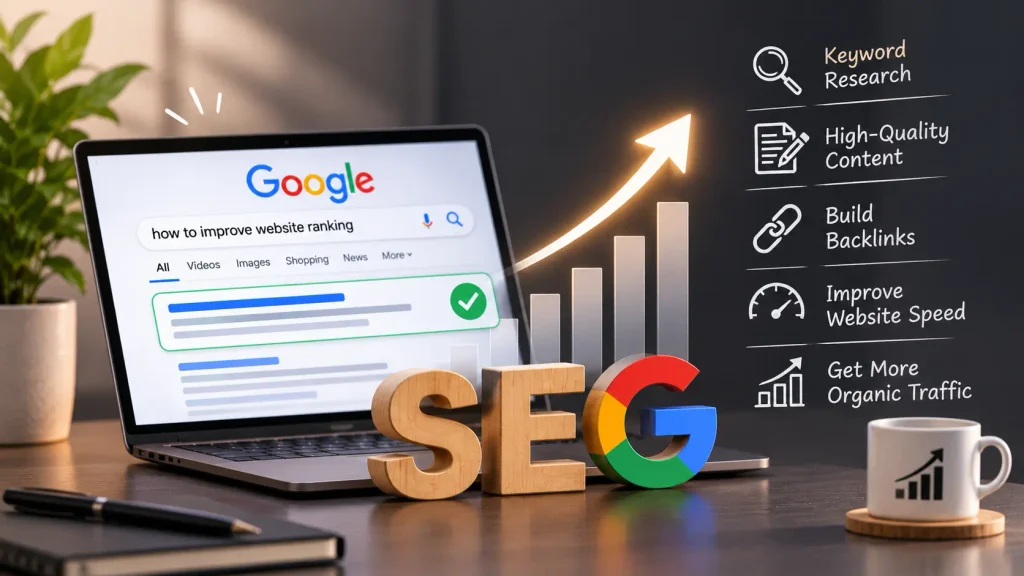
Imagine putting up a beautiful site with useful products, services, or information and not getting many visitors to it. You have put in efforts to build up your site, but you are hardly showing up on Google search results. Does this sound familiar?
Then here comes Search Engine Optimisation (SEO).
Mastering how to improve website ranking on Google through organic search is one of the most effective ways to get potential customers without having to invest in advertising. Instead of paying per click, SEO helps your website become more visible whenever there is a search for something similar to what you have in your site.
How to improve website ranking begins with choosing keywords that match search intent.
The great part about all this is that you don’t have to have a large marketing budget nor do you need technical expertise in order to make your website more visible.
In this article, we shall discuss 10 ways how to improve website ranking and organic site traffic without any paid ads.
What Is Organic SEO and Why Does It Matter?
SEO stands for the optimization of your site so that it ranks higher on the search engine without any payment.
To elaborate, take the case of an individual searching for “Best Digital Marketing Agency in Bangalore” on Google. The search engine will show a number of sites related to his query depending on their relevance, quality, and usefulness among others.
These websites appearing organically, without paying for the advertisement, gain organic traffic.
Why is organic SEO essential?
It is cost-effective marketing, as you need not pay for every single click on your site.
It gives long-term visibility, provided the website’s content is managed well.
It creates credibility since many people use organic search to find companies.
You target traffic of individuals searching for what you sell.
It creates greater brand awareness through relevant searches.
Nonetheless, SEO does not happen overnight. It takes time, patience, continuous improvement, and an understanding of who your customers are.
10 Effective Ways to Improve Website Ranking on Google Organically
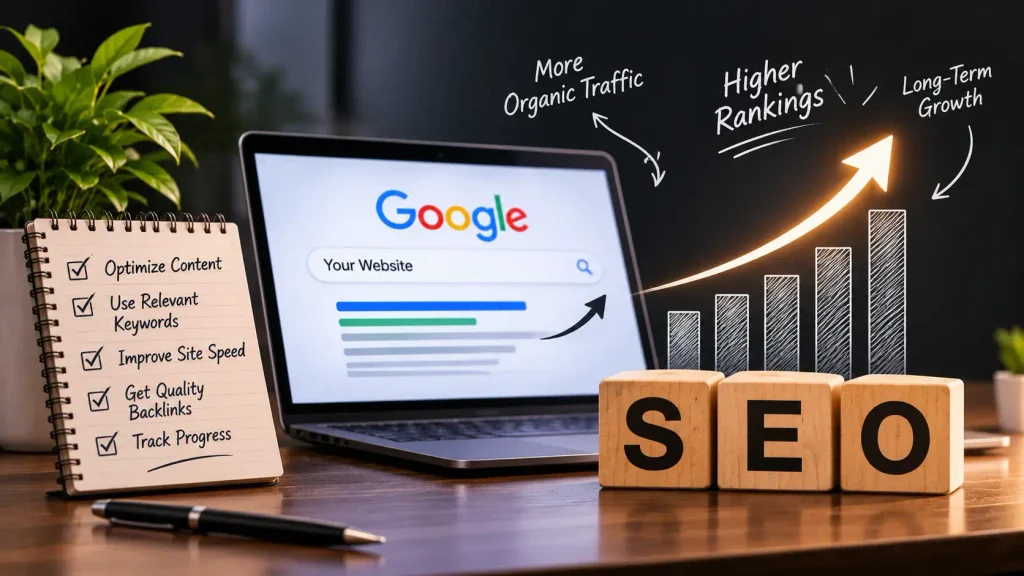
Here are 10 ways how to improve website ranking on Google without having to advertise or pay anything for it.
1. Start With Proper Keyword Research
Keyword research is the first step of developing an effective SEO plan.
Keywords are words or phrases used by users in search engines in order to get some information. Keyword research helps you to find out what kind of content users would be interested in.
If you have a digital marketing agency, people searching for the following may become your clients:
- Digital marketing services
- Affordable SEO services
- Social media marketing agency
- How to increase website traffic
- Best digital marketing strategies for small businesses
It is not always reasonable to use highly competitive keywords at once. It is better to start from using long-tail keywords.
Long-tail keywords are more precise search queries, which usually mean a higher level of user intent.
Examples:
| Broad keyword | Long-tail keyword |
| SEO | SEO tips for small businesses |
| Digital marketing | Digital marketing strategies for startups |
| Website traffic | How to increase website traffic organically |
| Google ranking | How to improve website ranking without paid ads |
How to do keyword research:
- Determine what subjects or issues pertain to your website.
- Consider what your prospective clients may be searching for.
- Use resources like Google Keyword Planner, Google Trends, and Google Search Console.
- Look into the suggestions of Google autocomplete and related searches.
- Pick the right keywords considering their search intent, competitiveness, and topical relevancy to your website.
Pro tip: Avoid selecting keywords that have high search volume only because you cannot meet their requirements.
2. Create High-Quality, Helpful Content
Content is also a significant component of organic SEO.
Google is committed to offering the most useful and relevant data to users. Therefore, writing content just to put some keywords in it would be an ineffective approach.
Your content should help readers in solving their queries or give them useful information.
How to improve website ranking also requires content that answers readers’ questions.
For instance, if you are trying to write on “how to improve website ranking on Google organically”, then the repetition of keyword in article will not help in making content useful.
Rather you should talk about:
- What organic SEO is.
- Keyword research process.
- Optimising the website’s content.
- The importance of website speed.
- The impact of backlinks in SEO.
- How organic SEO performs.
SEO-friendly content writing tips:
- Write content for human beings.
- Use conversational language.
- Try to include examples wherever you can.
- Split the lengthy paragraphs into shorter ones.
- Include the relevant images and infographics in it.
Regularly update the old information.
Always provide some unique information, example or experience.
3. Optimise Your Website’s On-Page SEO
On-page SEO is the process of optimizing web pages for better understanding by search engines.
Additionally, on-page SEO makes the navigation through your website convenient for visitors.
Here are several key factors that you should pay attention to in on-page SEO.
SEO title
Your title describes the content of your web page both for users and for search engines.
Examples:
Not: SEO Tips
But: 10 Useful SEO Strategies to Raise Your Google Rankings
Your primary keyword should be included in your SEO title.
Meta description
Meta description is a brief summary of your web page.
Example:
“Learns practical SEO tips to enhance Google rankings of your website organically. Learn about keyword research, on-page SEO and content optimization.”
Meta description does not directly influence the position of your web page in Google search results. However, a catchy description may attract the attention of your audience.
Heading structure
Structure your web page by headings:
- H1: The title of your blog.
- H2: Main sections of your content.
- H3: Topics which support H2 sections.
Use only one H1 tag and structure other headings logically.
Image optimisation
Images may add to the convenience of reading your article, but they should be optimized too.
- Provide proper naming of your image files.
- Use alt-texts.
- Compress the size of your images before posting them.
- Select proper file formats of images (WebP, etc.)
- Do not upload big images to your web page.
For example, rather than naming your image file IMG1234.jpg, name it on-page-seo-optimization.jpg.
4. Improve Website Loading Speed
Have you ever encountered a site that you had to leave simply because it was taking forever to load?
Your visitors can also be doing just that!
Performance matters a lot when you want to give your users an experience, on your site. Performance is one of the factors that help keep visitors happy. Performance plays a role in making sure people enjoy using your site. It’s quite literally what makes it difficult for them to interact with your content.
Google looks at Page experience and Core Web Vitals when it decides how to rank a website.
How to improve website ranking depends on a website that loads quickly on mobile devices.
Core Web Vitals include the following elements:
- Largest Contentful Paint (LCP): This is the measure of the loading time of your major content. Good value is 2.5 seconds or less.
- Interaction to Next Paint (INP) is a measure of how responsive the page’s. It should be 200ms or less, for a value.
- Cumulative Layout Shift (CLS): This is the measure of the layout shift. Good value is 0.1 or less.
Ways to increase the speed of your website include:
- Compressing images
- A reliable hosting service provider
- Browser caching
- Avoid unnecessary plug-ins
- Avoid unnecessary CSS and JavaScript
- Using a CDN where applicable
- Test your website using Google PageSpeed Insights.
For instance, if your homepage features multiple large images, the compression of these images will greatly decrease the loading time.
Google provides a free PageSpeed Insights tool which helps with this process.
5. Make Your Website Mobile-Friendly
Many users view sites using their smartphones. In case your site doesn’t function properly on the smartphone, you might miss out on gaining potential clients.
Mobile optimisation is thus an essential aspect of SEO for your website.
Your mobile-optimised website should:
- Be able to automatically adjust according to the different screen sizes.
- Contain texts which can be read without zooming in.
- Contain easily tappable buttons.
- Not have any horizontal scrolling.
- Contain correctly displayed images.
- Have user-friendly navigation.
Example:
Suppose someone lands on your site via his/her smartphone in order to look up your contact details. If the navigation menu is complicated and/or the contact button isn’t easily visible, he/she might simply exit the site.
In order to prevent that, check out your website on different screen sizes and correct any layout issues.
If you’re using WordPress, the responsive designing capabilities of the page builders, such as Elementor, will help you customize your site according to desktops, tablets, and mobiles.
6. Build Quality Backlinks
Backlinks are links that come from websites to your website.
Backlinks may assist search engines in finding your website and assessing its reputation and relevance.
A link from a reputable website relevant to your industry might be of greater value than many links coming from irrelevant and low-quality websites.
Building backlinks:
- Writing guest posts for industry-related websites.
- Creating original research or resource.
- Publishing informative guides that might be used by others.
- Involving into industry-related communities.
- Developing relationships with bloggers and content creators.
- Finding ways to provide an expert opinion on some topic.
Practical example:
If you write an informative guide on small business SEO strategies and another marketing website finds it useful and links to it on their website.
This link may help people find your website and increase your website’s reputation.
7. Use Internal Linking Strategically
I have found that internal links are links that connect one page on the website to another page, on the website. These links help people navigate your site.
They make it easy for visitors to access relevant information and help search engines as bots to read your website.
For instance, when you write an article about keyword research, you can make an internal link to an article about on-page SEO.
In this way, you provide a better user experience and allow search engines to identify pages that are interconnected.
Tips for internal linking:
- Find existing articles on your website that are relevant.
- Look for places where you can add links from a relevant page.
- Use descriptive anchor texts.
- Make links to key service pages, if applicable.
- Avoid inserting urls in your paper.
For instance, do not use “click here”, but instead use descriptive anchor text like “on-page SEO strategies”.
If you have a website related to digital marketing, your blog posts could link to service pages, case studies, and other useful content.
8. Optimise Your Website for Local SEO
If you have a business whose customers are located at a particular place, then local SEO may be helpful in making your presence felt via location specific search queries.
The person searching for “best digital marketing agency in Kochi” may probably be looking for one such service provider from that location.
Local SEO will help you to boost your exposure through relevant searches.
Ways of improving local SEO:
- Optimise your Google Business Profile, if available.
- Make sure that the NAP (name, address and phone number) details are correct.
- Select appropriate business categories.
- Encourage genuine reviews from your customers.
- Use location specific keywords naturally within relevant web pages.
- Develop local relevant content.
- Make sure that your business details are consistent in relevant directories.
For instance, the digital marketing agency in Kochi can make a separate web page for its SEO services in Kochi.
9. Update Old Content Regularly
Posting new content is crucial; however, updating existing content can be just as helpful.
Statistics get outdated with time, links no longer work, and sometimes information is not up to date anymore.
Posting updates can make your website relevant and helpful.
The following tips can help you refresh the old blog posts:
- Find posts which lost their traffic and impressions.
- Check whether the information is still correct.
- Refresh outdated statistics and examples.
- Provide missing information depending on users’ needs.
- Refresh broken links.
- Optimize headings and make sure they are readable.
- Provide internal links.
- Change images if needed.
For instance, if some time ago you posted an article about SEO tools, then it will be possible to refresh this information and add new tools which have emerged since then.
Google Search Console can help you to find pages which receive impressions but have few clicks, or those pages that have dropped organic traffic.
Don’t change publishing dates just because you want to refresh old content. Update the post only if you need to do it.
10. Track Your SEO Performance Using Free Tools
SEO without tracking your performance is like having a marketing campaign without analysing the results.
You have to know what pages work, which keywords attract visitors and what changes you should make.
Fortunately, there are several free tools that can help you track your website’s organic performance.
Free SEO tools:
| Tool | What they will help you to track |
| Google Search Console | Search impressions, clicks, queries, and indexing |
| Google Analytics 4 | Website traffic and visitor behaviour |
| Google Keyword Planner | Keyword ideas and search volume estimates |
| Google PageSpeed Insights | Website performance |
| Google Trends | Interest over time |
| Rank Math SEO | WordPress pages and posts optimisation |
First, start with Google Search Console.
It offers valuable information on how your website performs in Google Search and includes such metrics as:
- Organic clicks in total.
- Search impressions.
- CTR average.
- Search position average.
- Search queries.
- Indexed pages.
- Not indexed pages.
For instance, if a blog gets 1,000 impressions and only 10 clicks, you might reconsider the title and meta description of the page.
Just remember that search position average is an aggregate statistic and not a specific rank for each search and user.
How Long Does It Take to Improve Google Rankings Organically?
How fast does SEO work? This is one of the most asked questions by beginners.
The honest answer is there is no set timeline.
What SEO results depend on:
- The current authority of your site.
- Keyword competition.
- Quality and relevance of content.
- Website technical performance
- Backlink profile.
- Frequency and quality of optimization activities.
Some improvements may see results fairly quickly, while others may take several months or more.
Google also requires time to crawl, index and evaluate updated pages.
Instead of expecting results overnight, focus on constantly improving your website and track your performance over time.
Common SEO Mistakes You Should Avoid
When learning how to organically improve website ranking on Google, beginners often make mistakes that can affect their SEO performance.
Below are some common mistakes to avoid:
1. Keyword stuffing: Repeating the same keyword over and over again unnaturally in your content.
2. Duplicate content: Posting duplicate or slightly modified content from other sites without adding any original value.
3. Non Mobile Optimized: Building a website that only works on desktop devices.
4. Buying low-quality backlinks: Spammy link building tactics that try to game the rankings.
5. Ignoring technical SEO: Ignoring indexing issues, broken links and the speed of the website
6. Publishing without a strategy: Creating random blog posts without knowing your target audience or search intent.
7. Expecting immediate results: Giving up on SEO because rankings don’t improve in a few weeks.
The sustainable SEO strategy is user-focused, quality-driven and based on continuous improvement rather than short-cuts.
Frequently Asked Questions (FAQs)
1.How can I improve my website ranking in Google for free?
Without paid advertisements, you can improve your website ranking by focusing on keyword research, quality content, on-page SEO, technical optimization, internal linking and quality backlinks. You can use Google Search Console and Google Analytics to keep an eye on your progress. Google Search Console and Google Analytics let you see how your work is doing. You can check traffic find out which pages people visit most and learn what keywords they use to find your site.
2. Is it possible to rank a website on Google without backlinks?
Yes. A website doesn’t need a ton of backlinks to rank for relevant search queries. Backlinks can establish reputation and authority, especially in competitive industries. Concentrate on useful content and a technically good site.
3. How to learn SEO for a beginner?
First of all, your starting point should be keyword research, search intent, on-page SEO and content optimization. Set up Google Search Console. Write content that your readers will find helpful. Make sure the information is clear and easy to understand. Give your audience something they can use. Eventually, learn the basics of technical SEO and how to build links.
4. Posting blogs is helpful in ranking websites.
By publishing useful and relevant blog posts you can help your website target additional search queries, answer customer questions and attract organic traffic. But simply publishing more articles does not translate to higher rankings. Quality and relevance of content matter.
5. How many keywords should I use in my blog post?
Google doesn’t provide any specific guidance on how many keywords to target in your blog post. You’ll want to select one main keyword to target and then add relevant secondary and related keywords in naturally throughout your blog. Be sure not to force keywords in.
6. Does using Rank Math help rankings on Google?
Rank Math is a WordPress SEO plugin that helps with on page optimisation, meta data, sitemaps and more. Whilst it can help guide you with optimising your content, simply having the plug-in installed or a high SEO score does not guarantee improved Google rankings.
7. Is SEO better than Google Ads?
SEO is a long term marketing strategy to organically increase visibility. Google ads are paid for and usually do not last beyond the budget you have spent. Depending on your goals and budget will decide which option is best for you.
Conclusion: Start Improving Your Website Ranking Organically Today
Improving your site to rank well on Google organically will come down to making sure your website is easy for search engines to understand and provide value to people visiting your site.
You do not have to pay for ads to get traffic to your site in anyway. Improving your keywords, content, on page SEO, site speed, mobile optimization and backlinks will help improve your sites visibility in search.
Consistency is key!
Tracking results helps you understand how to improve website ranking over time.
Start off by making small changes to your site. Track your progress and keep optimizing your site. SEO is an investment. Any improvements you make can help with improving your presence. When you invest in SEO you can expect online presence. SEO is worth the effort. Improvements in SEO bring online presence.
Ready to boost your site visibility?
Choose a keyword that fits your business and then focus on making one of your pages better using that keyword. Publish content to answer your audience’s questions.